Digital Signatures
The only digital signatures software you need to request, collect and verify advanced e-signatures.
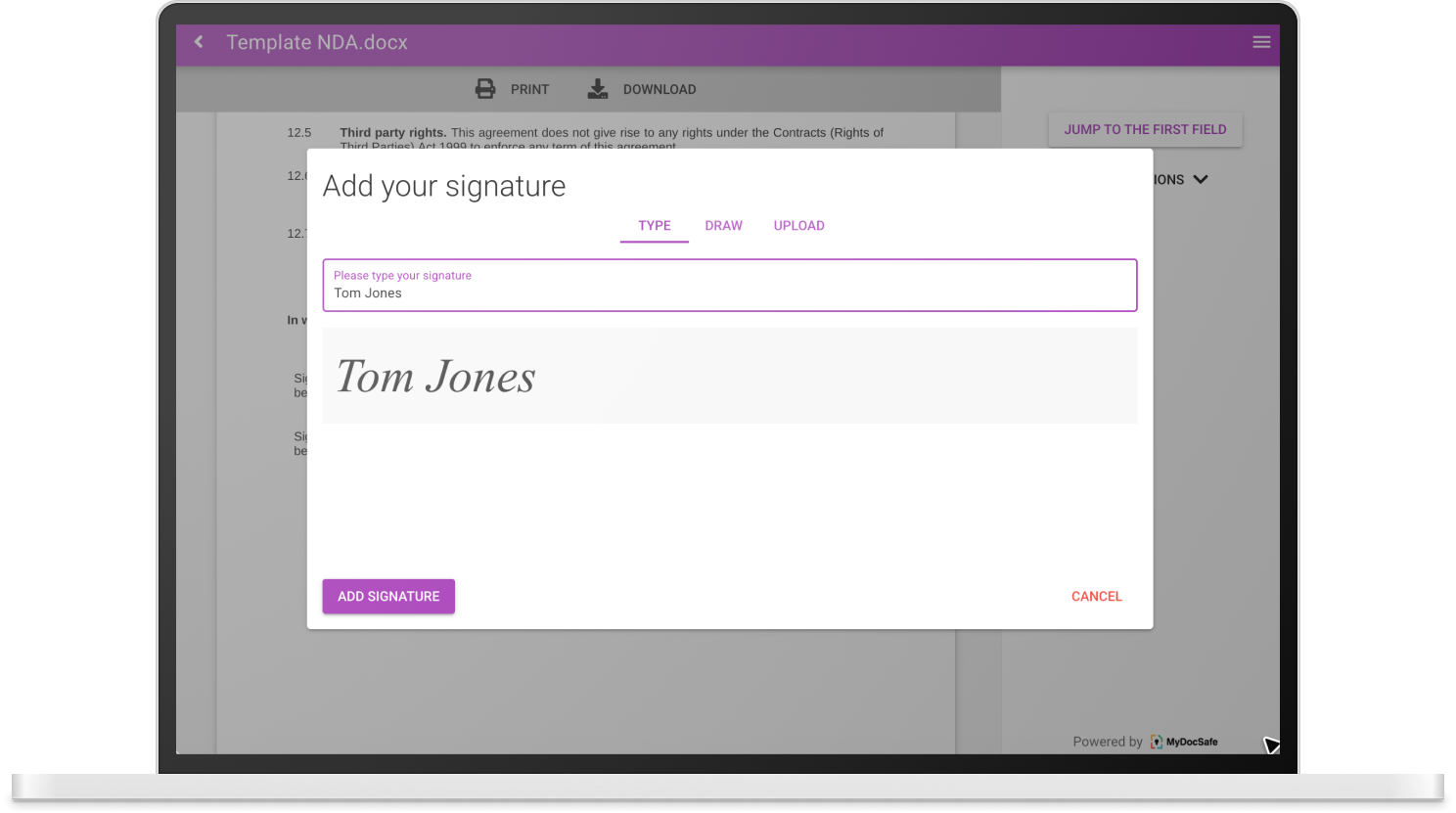
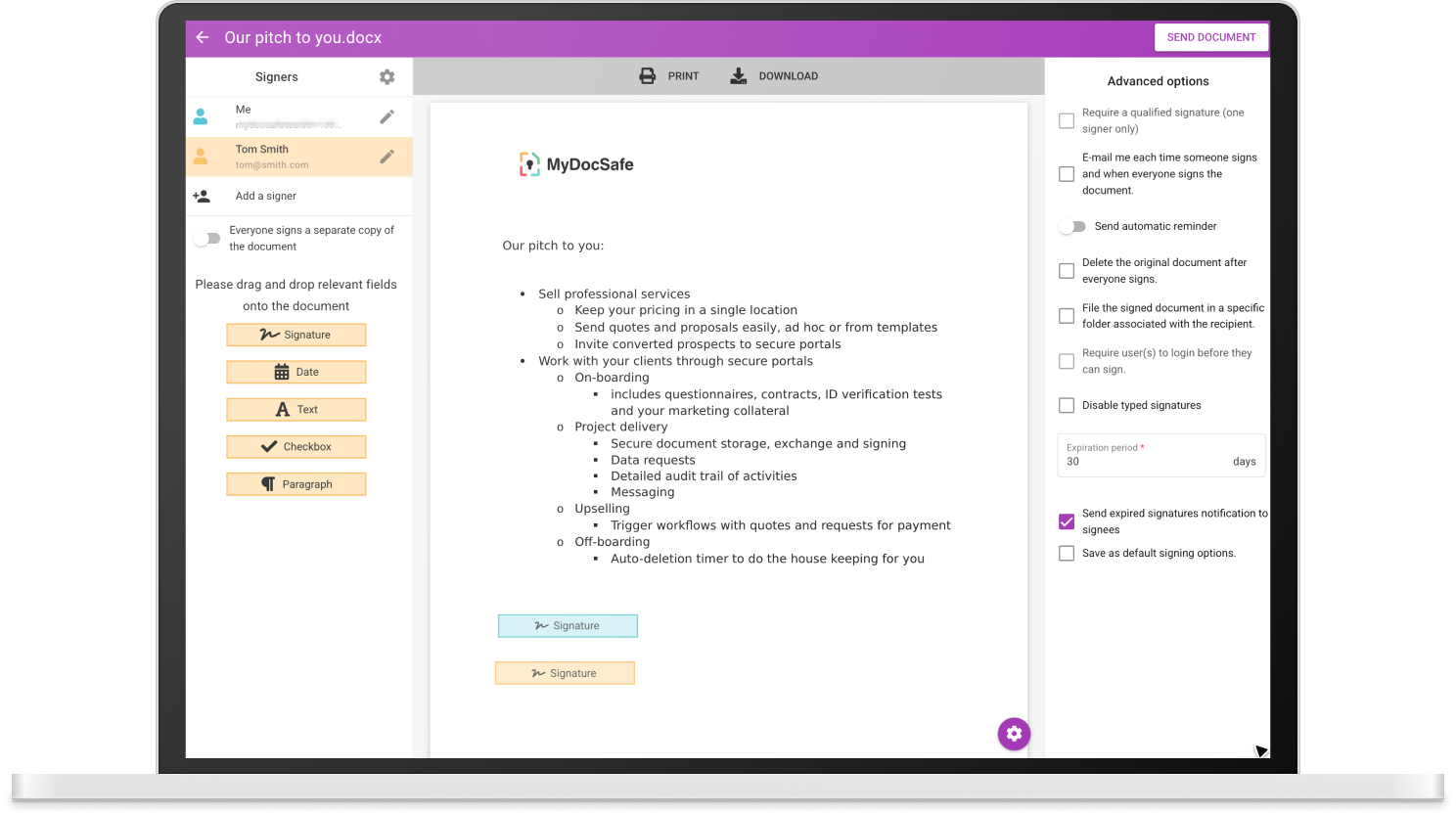
Simply upload a file, add a signature box and send – your quick and easy digital wet signature.
Engage new clients, renew contracts, request approval and get verifiable confirmation with advanced e-signatures.
Close deals faster with automatic notifications and reminders – and stop waiting around for those business-critical signatures.
Save time. Save effort. Save money with MyDocSafe.
Reduce Your Admin Time with Quicker, Simpler Digital Signature Software
Streamline your workflow by sending documents for signing directly from Microsoft Outlook or any major web browser. Then automate reminders to ensure no document sits unread, waiting to be signed – and save your team the hassle of chasing. And to check the status of any document on-the-go, just login to the mobile app.
You can even integrate payments, contracts and approvals into your document signing process – quickly and simply – to keep your business running smoothly.
Save Your Customers' Time with Easier, Faster Digital Signing Software
Sign any document in seconds without the need to login. Just click to open and click to sign. MyDocSafe gives you several different advanced signature options, each legally-binding and fully verifiable.
Your customers simply sign, we handle all the technical verification details. Users can then download a copy directly to their device, or claim their free MyDocSafe storage with encryption protocols for extra security.
Speed Up Regular Processes with Automatic Customization
Cut unnecessary paperwork with MyDocSafe's powerful mail-merge capability, perfect for renewing contracts, terms of business agreements or any other template-based documents.
Simply select the relevant fields for customization and merge each document with bespoke, personal data for each recipient.
Send and repeat to large groups of people, where multiple individual signatures are required, without the extra admin time.
Faster Business to Increase Your Revenue
No waiting around to close deals – make digital signing a seamless, automatic part of your proposal process.
No lost time sharing documents for multi-party signing – send simultaneously or auto distribute to the next recipient in a round robin contract.
Save Money and Boost Security with MyDocSafe
MyDocSafe is the only digital signing software you need to reduce physical costs associated with securing signatures and improve the productivity of all departments in your business.
All with best-in-class security as standard. Plus you can add extra security features if required, including two-factor authentication with SMS codes and escrowing private encryption keys with a reputable third party.
2FA & SMS
Two-factor authentication with SMS codes
KBA
Knowledge-Based Authentication
ESIGN Act
Compliant with US ESIGN Act & UETA
If You Are New to Electronic Signatures
Electronic signatures have revolutionized the way we authenticate documents and formalize agreements. This guide demystifies the concept, discussing everything from their fundamental role to legal standing and the latest technology driving adoption.
Understanding Electronic Signatures
At its core, an electronic signature is a digital form of signing documents, offering a convenient and secure alternative to traditional pen-and-paper methods. They can range from a simple scanned image of a handwritten signature to more sophisticated versions that include verifiable data about the signer and the signing process.
The Role and Purpose
Electronic signatures serve the crucial role of validating documents, contracts, and agreements in a digital format. They ensure that the document has been reviewed and agreed upon by the parties involved, providing a layer of authenticity and intent.
Advantages of Using Electronic Signatures
The advantages are manifold. They offer a high level of convenience, allowing documents to be signed from anywhere in the world. They also enhance security, with advanced encryption and authentication methods. Moreover, electronic signatures can significantly reduce the carbon footprint associated with paper-based processes.
Legal Standing of eSignatures
Many countries have enacted laws recognizing the legal validity of electronic signatures. The ESIGN Act in the United States and the eIDAS regulation in the European Union establish a legal framework for eSignatures, provided they meet specific requirements.
Key Features to Consider
When selecting an electronic signature solution, critical features to look for include ease of use, security measures, integration capabilities, compliance with relevant laws, and the ability to verify the identity of the signatories.
Frequently Asked Questions
The Simple, Secure, Streamlined Digital Signature Software
Get your digital signature free for 30 days. No credit card required.