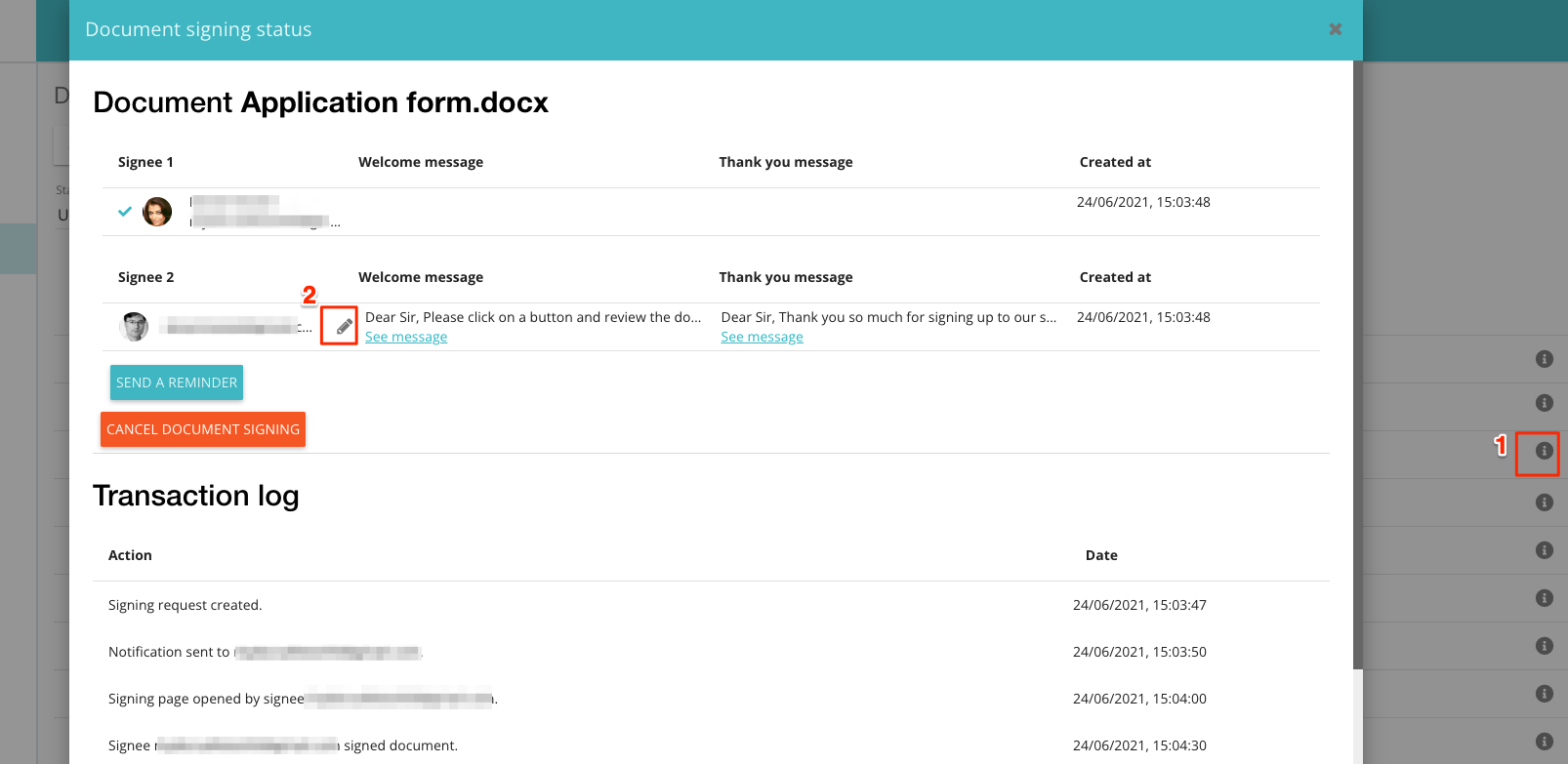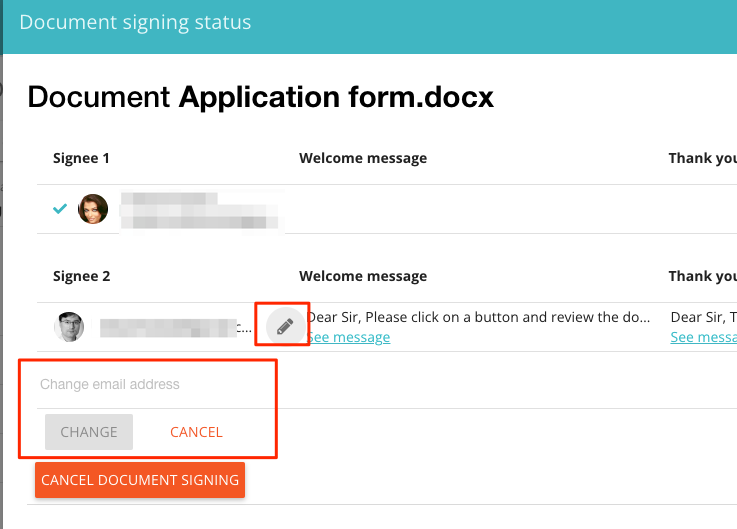
You can now change the email address of a signee, who has not yet signed a document, even after the document has been sent out for signing. Until recently you had to cancel the esignature request if you discovered that one of your signees has had an incorrect email address. To make the change, go to Signatures, choose the ‘Sent’ tab and locate your document. Click on the ‘i’ icon which will lead to a status window. You can then use the ‘pen’ icon associated with a signee you would like to amend.
The action of changing the email address will be recorded both in the activity log and on the signature certificate that is appended to each signed document.