Inviting your clients to portals in bulk
Inviting your clients to portals in bulk
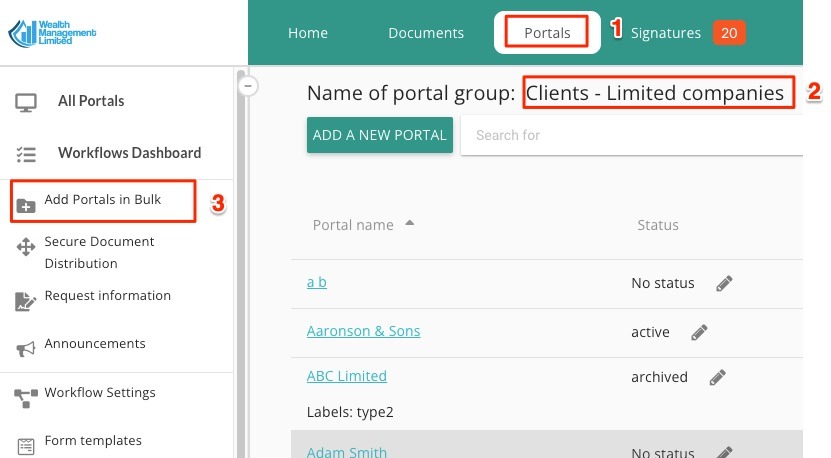
If you would like to invite your clients to your portals in bulk, this article is for you. To access the this feature, go to a portal group of your choice, and click on "add Portals in Bulk" option on the left:
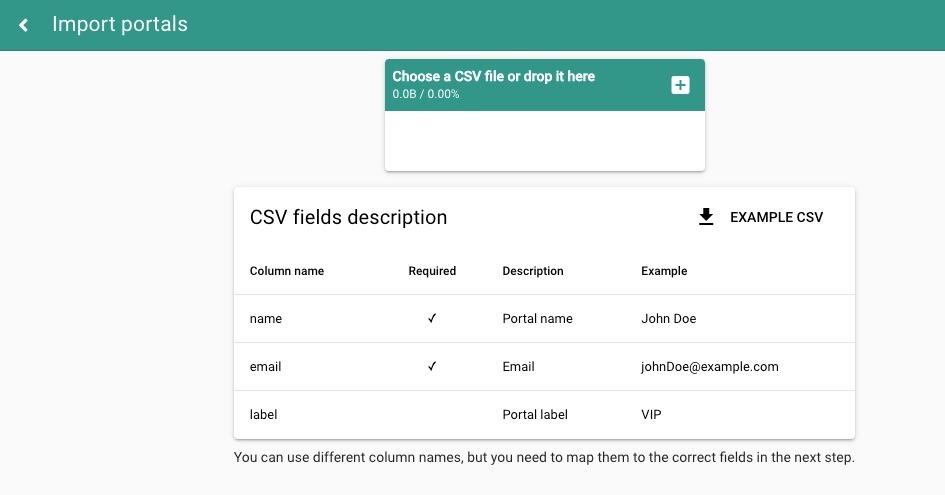
You will then enter a data uploader and mapper, which lets you drag/drop or upload a CSV file and map your data into appropriate columns. Use 'example csv' button to download a template. Columns that have a 'tick' in the 'required' column must be mapped, other fields are optional.
After you drag/drop your file, map the fields and enter an optional welcome message, you are ready to start the process of (1) creating the portals and (2) inviting your clients:
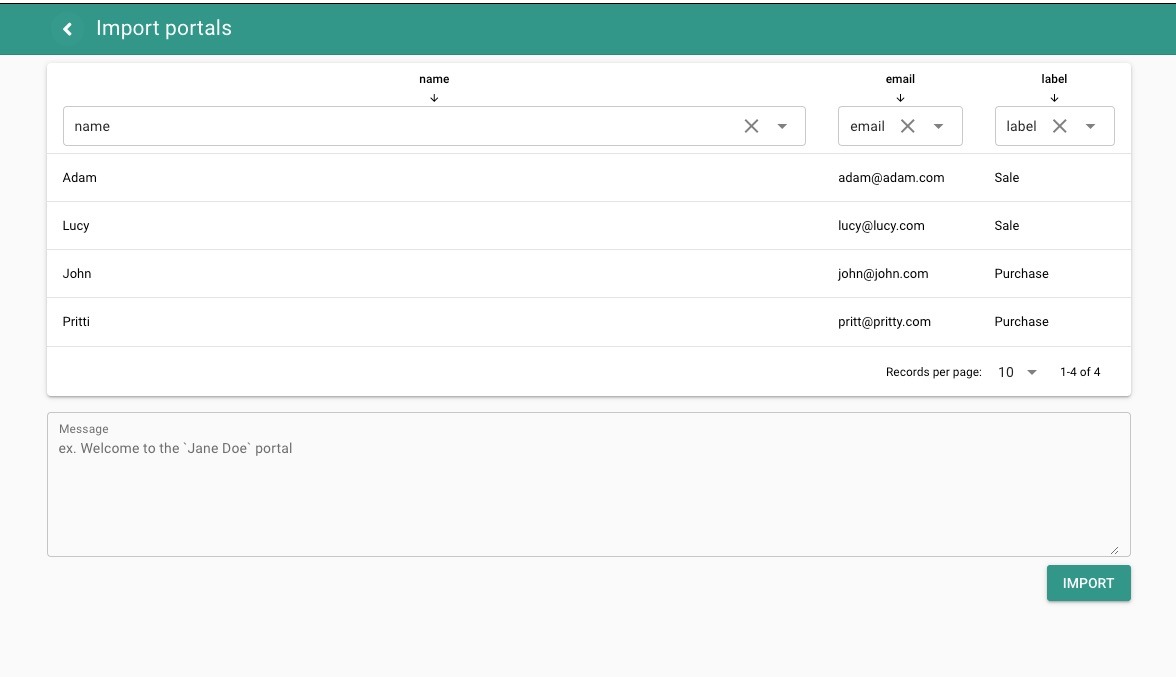
When you are ready, click the "Import" button.