How to delete a Portal Group?
How to delete a Portal Group?
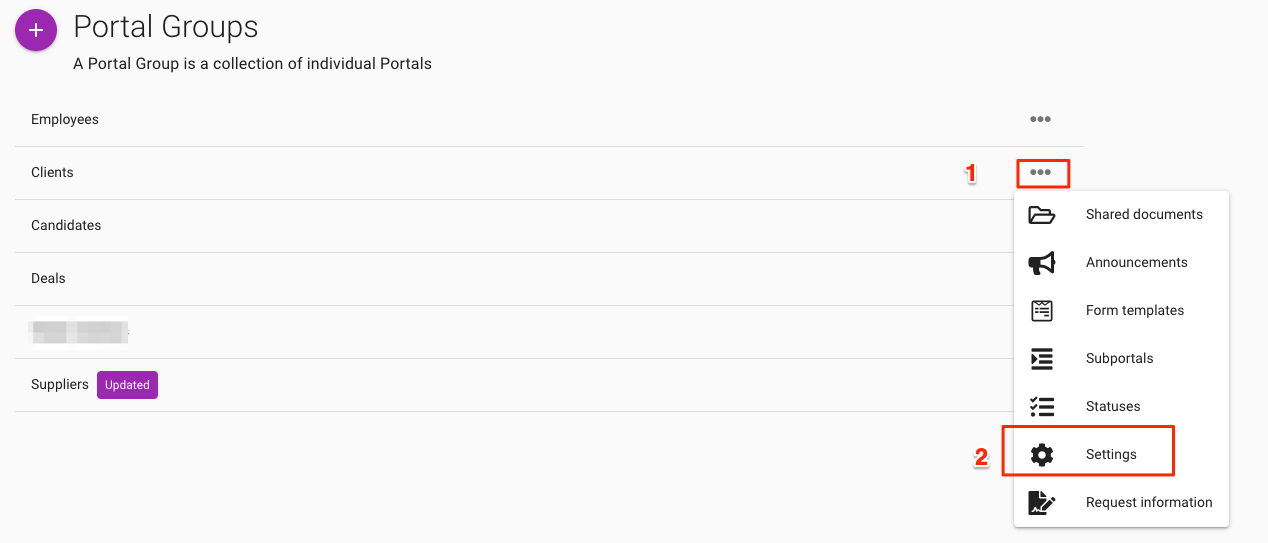
To delete a Portal Group, click on the '...' icon associated with the Group and select Settings
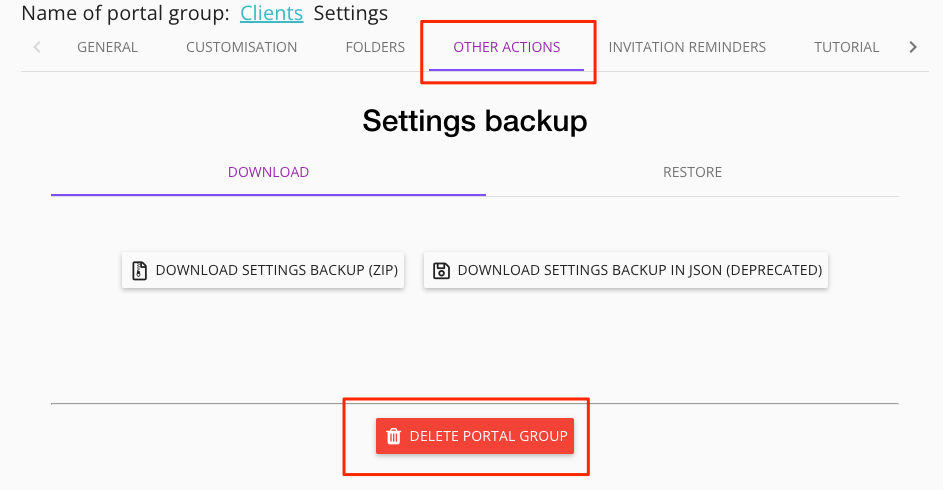
Then go to Other Actions tab and select Delete Portal Group
To delete a Portal Group, click on the '...' icon associated with the Group and select Settings
Then go to Other Actions tab and select Delete Portal Group