How to restrict access to client portals
How to restrict access to client portals
You can restrict access to client portals in Company Roles:
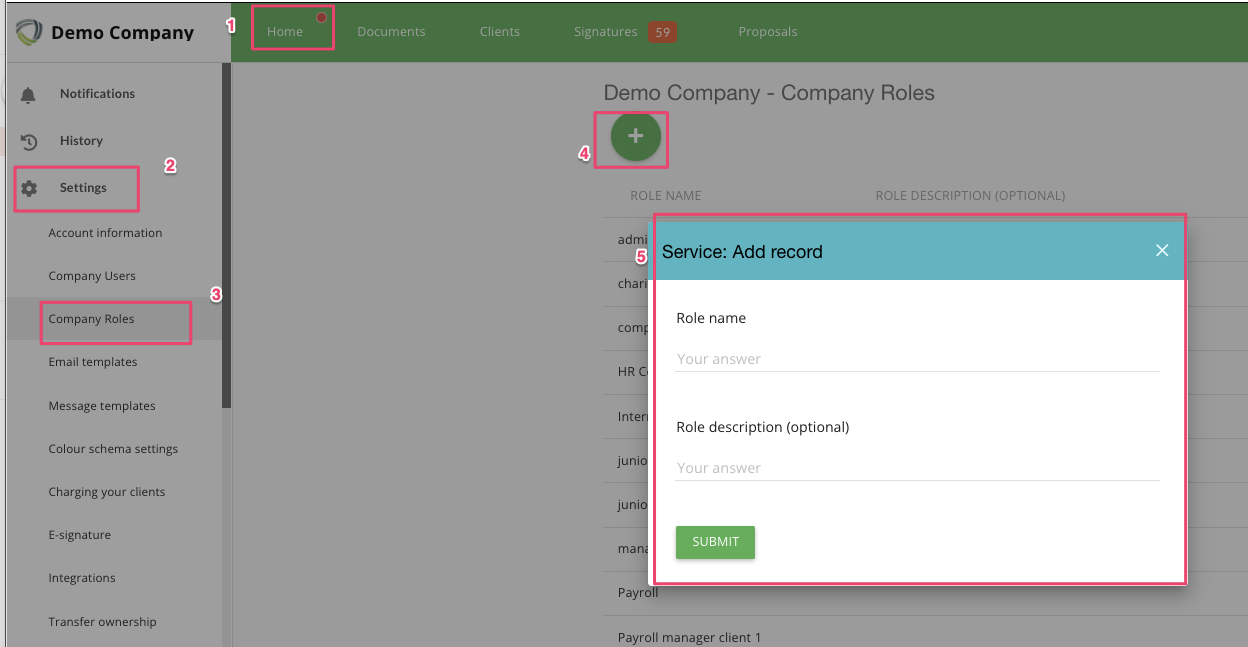
1. Create a Company Role
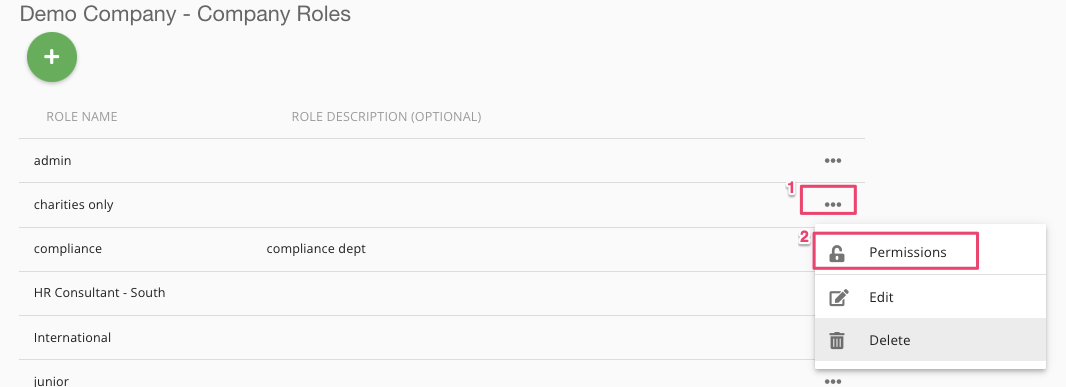
2. Go to Permissions for that Role
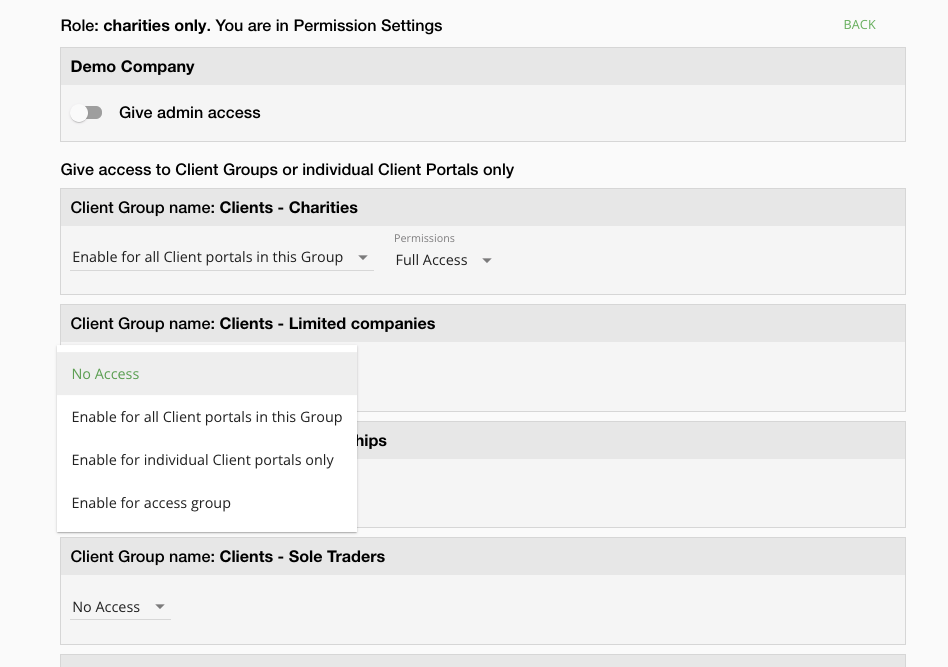
3. Assign permissions to the Role. You have quite a few options here:
enable access to all portals in each client group
enable access to individual portals only
enable access to a set of portals that are within an 'access group'. What is an access group?
A note on access groups.
You can assign a portal to an access group. An access group is a 'set' which can share access restrictions. To create access groups, go to a client group and
- create access groups
- assign a portal to an access group
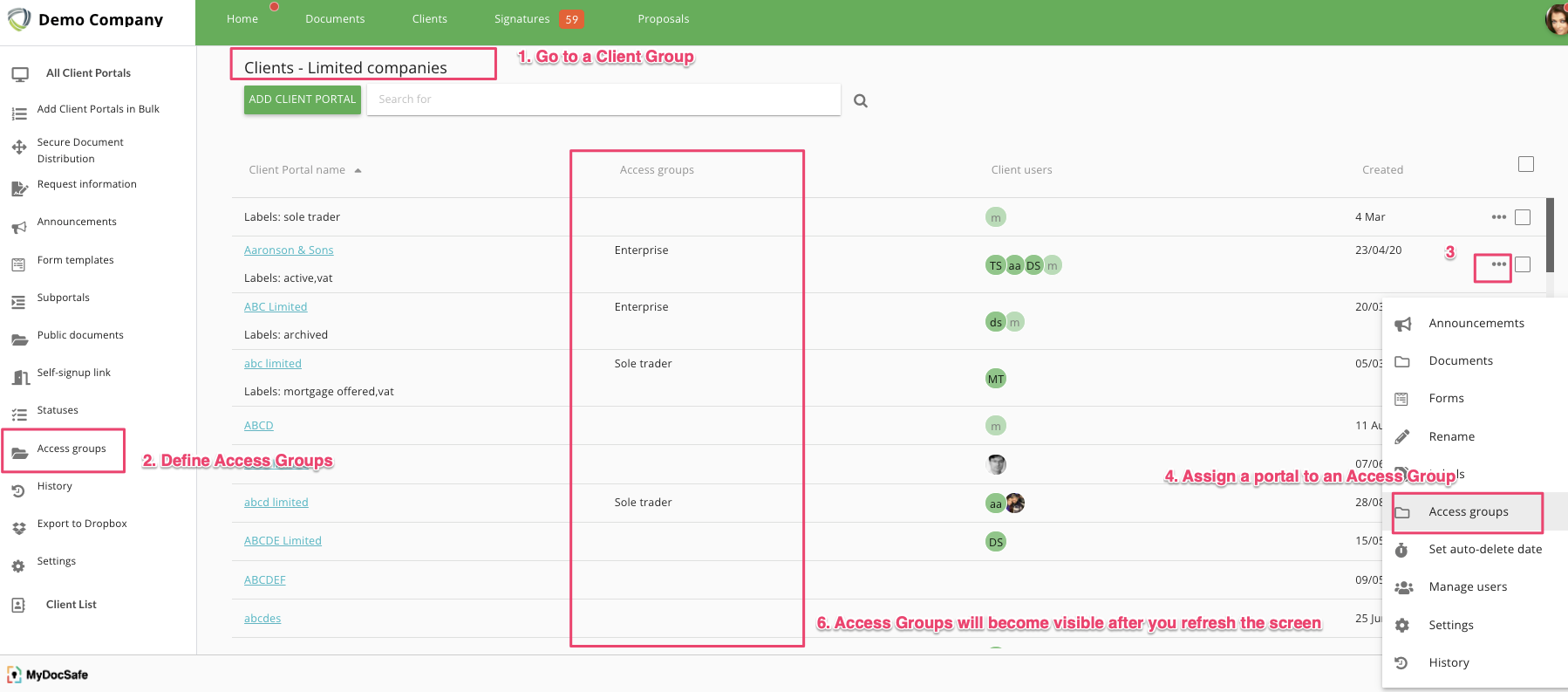
Once an access group is created, you will be able to see it in the Company Role permissions.