E-signature reminders
How to create and trigger reminders
E-signature reminders
How to create and trigger reminders
You can send both manual and automatic reminders after you send a document for electronic signature.
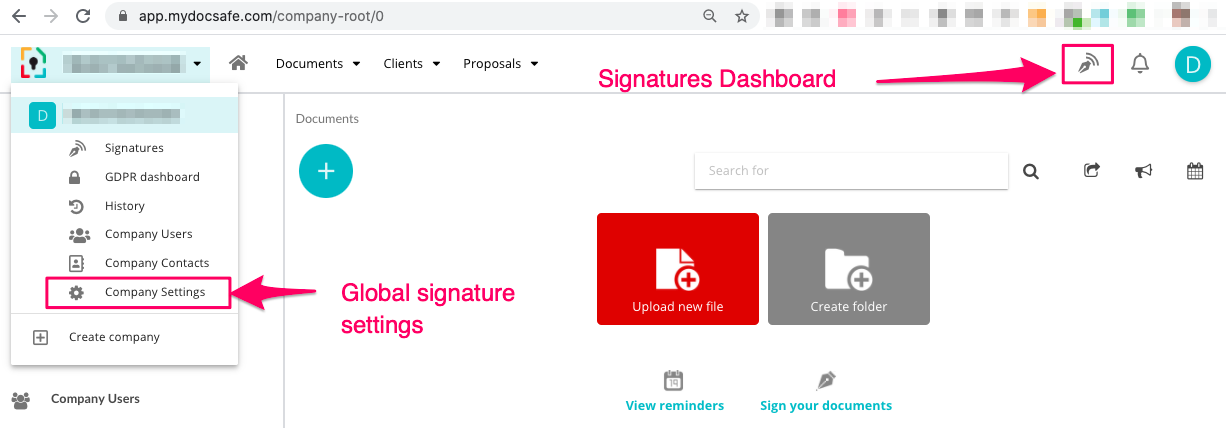
1. For manual reminders - go to your Signatures Dashboard on the top right, find the document you sent out, click 'status' and then 'send reminder'.
2. For automatic reminders you have two options
a. when sending a document for signing, choose the frequency and number of reminders (up to 5) in the advanced options.
b. alternatively, go to global esign settings (top left icon -> company settings -> esignature) and set auto reminders there.
Notes:
Global e-signature settings will be honoured by transactions triggered by API.
The reminder message is set by the system and currently cannot be adjusted by users.